
1 site
$89.99 USD / year
For your WooCommerce store.
- Annual and exact-date calendars
- Signup billing controls
- Existing subscription migration and alignment
- Simulator and Renewal Monitor
- All Pro features
QuixWP Renewal Scheduler
Available now · Prices in USD; applicable taxes calculated at checkout.
March 1 and September 1. The start of every school term. Your fixed quarterly billing dates. Create a reusable calendar, assign products or variations, and bring existing subscribers onto the same schedule.
Requires WooCommerce Subscriptions.QuixWP Renewal Scheduler is an extension for the official WooCommerce Subscriptions plugin — it is not a standalone subscriptions plugin.Get WooCommerce Subscriptions → (affiliate link)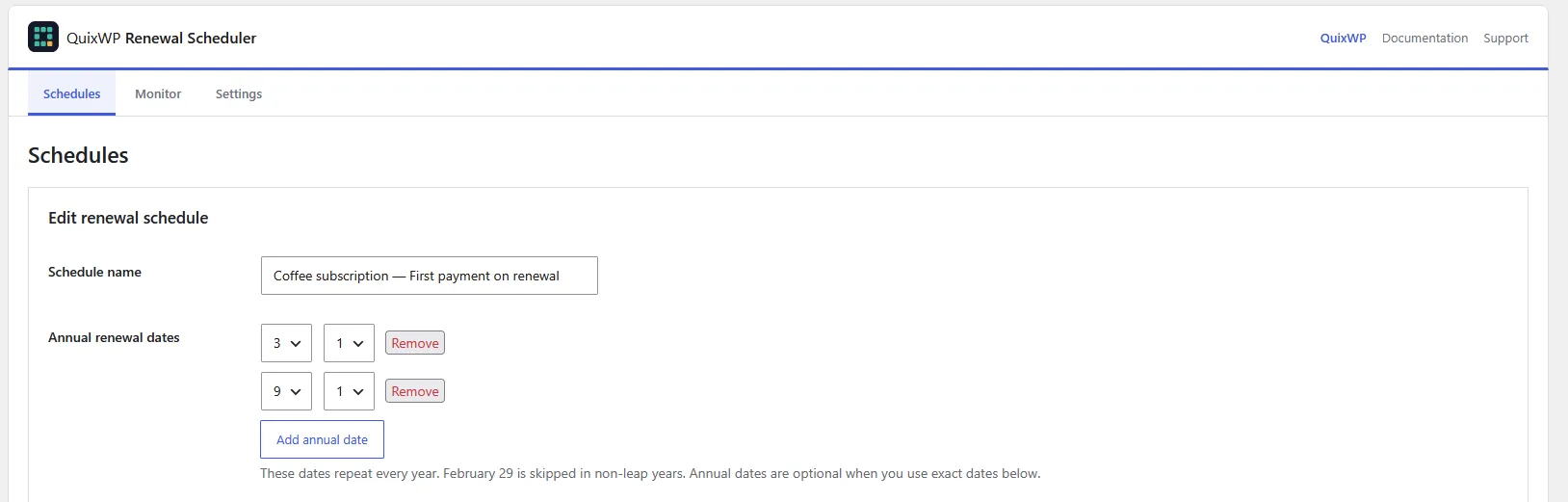
For example: bill a seasonal box on March 1 and September 1 every year. Set those dates once; new subscribers follow the same calendar.
Every scheduling, migration and monitoring feature is included in both licenses. Choose one store or up to five sites.
$89.99 USD / year
For your WooCommerce store.
$179.99 USD / year
For multiple stores or client projects.
Annual subscriptions, billed in USD. Applicable taxes are calculated at checkout. Manage or cancel future renewals through your Freemius customer account.
Plugin downloads, licenses, and eligible updates are delivered through Freemius. Setup documentation and QuixWP support are available if you need help.
HPOS compatible. Requires WordPress 6.0+, WooCommerce 7.0+, WooCommerce Subscriptions 7.8.2+, and PHP 7.4+. WooCommerce Subscriptions is not included.
Not sure it fits your store? Ask us before buying →Case study · Approximately 750 subscriptions
On a live WooCommerce store managing approximately 750 subscriptions, renewals had been spread across roughly two days. With QuixWP Renewal Scheduler, all renewals were triggered within roughly two hours.
This is the observed result for that store, measuring renewal triggering rather than successful payment collection. Processing time depends on hosting, cron, the action queue and payment gateways.
WooCommerce Subscriptions already includes Billing Date Alignment. Use it when its interval-based schedule fits your business.
Native alignment supports a weekday for weekly billing, a day of the month for monthly billing, and a calendar date for yearly billing. It also offers full, deferred or prorated first billing. A monthly box billed on the 1st, or an annual membership billed on January 1, may need nothing more.
| Your requirement | Native Billing Date Alignment | QuixWP Renewal Scheduler |
|---|---|---|
| A regular aligned interval | Usually enough for weekly, monthly or annual alignment. | Useful when you also need shared calendar management or monitoring. |
| The same fixed quarter or season dates for everyone | A longer interval starts at the next alignment date; signup timing can put subscribers on different months. | List the exact month/day dates once and reuse that calendar. |
| School terms or one-off billing dates | Uses a recurring interval rather than a custom list of dates. | Combine annual dates with year-specific dates, including uneven gaps. |
| Move existing subscribers onto the calendar | Enabling alignment on a product leaves existing next-payment dates unchanged. | Adopt eligible subscriptions, preserving their next payment or explicitly realigning them. |
WooCommerce’s documented example: a three-month subscription aligned to the 1st and purchased on April 6 first renews on May 1. If your business needs the next renewal on July 1, create a QuixWP calendar for January 1, April 1, July 1 and October 1.
Example assumes no trial or individual timing override. Choose immediate or deferred signup billing separately.
Native behavior: WooCommerce’s billing alignment guide and longer-interval example.
Choose QuixWP when your calendar defines the renewals: seasonal boxes, term-based billing, fixed quarterly or twice-yearly dates, or memberships with several scheduled charges each year.
Read the step-by-step guide to specific renewal dates →
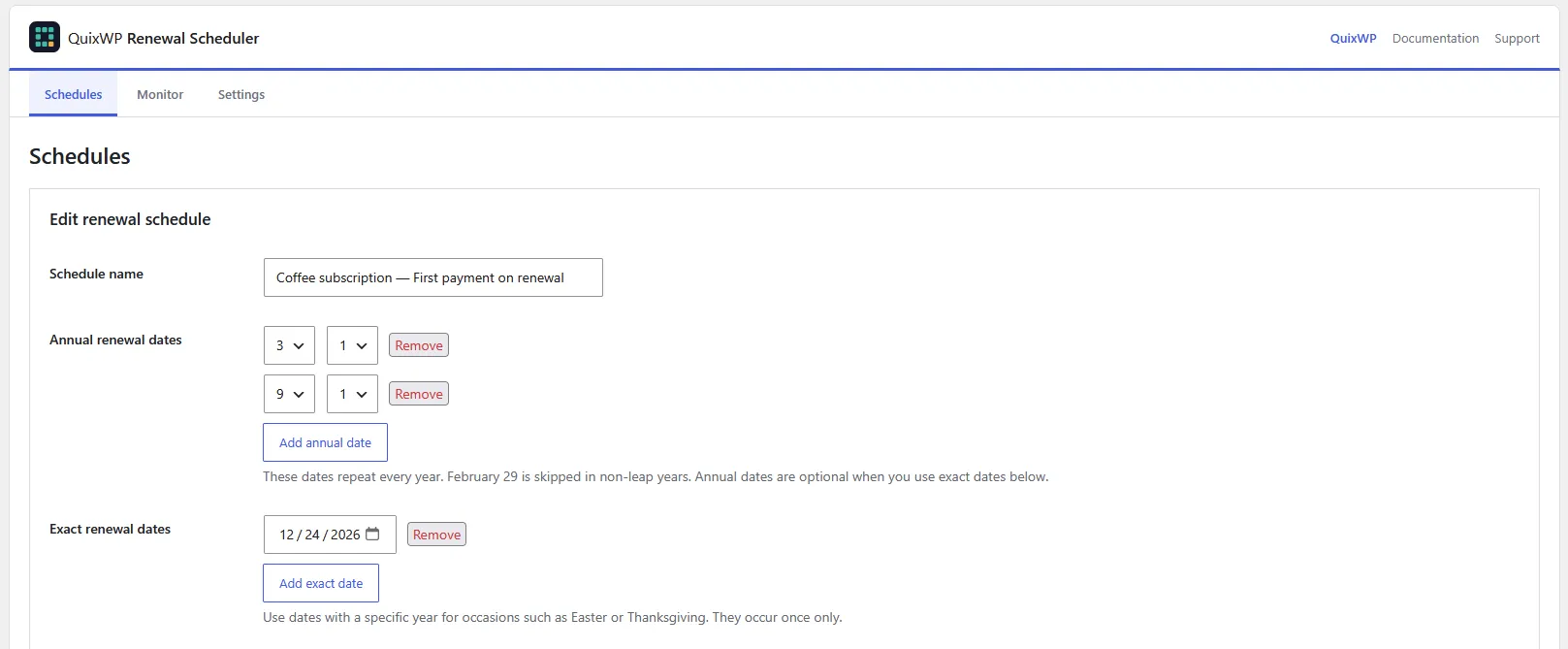
See licenses and pricing →Set dates that repeat each year, add specific one-off dates, or combine both. Reuse a calendar across subscription products and variations instead of editing subscribers one by one.
Choose the time in your store’s timezone, too.
Some stores charge when a customer joins. Others wait until the next shared billing date. Choose the approach that fits what you sell.
With immediate billing, someone joining the day before a renewal pays twice on consecutive days. With deferred billing, the first recurring amount waits until the calendar date.
Read the signup billing guide →
Already taking recurring payments? Find eligible subscriptions from the products assigned to your calendar.
Keep their next payment dates initially, or choose to align them now. You decide when existing payment dates change.
Read the migration and alignment guide →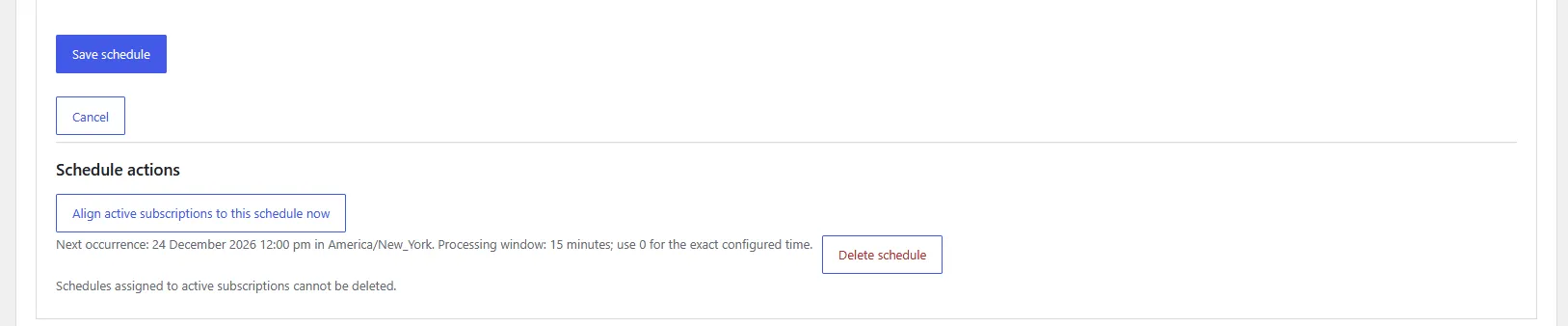
Use the simulator to try different signup dates and preview the renewals that follow. Then use the Monitor to see upcoming and overdue payments and the latest renewal result.
You can also move an individual subscription up to 30 days earlier without changing the calendar for everyone else.
Explore the documentation →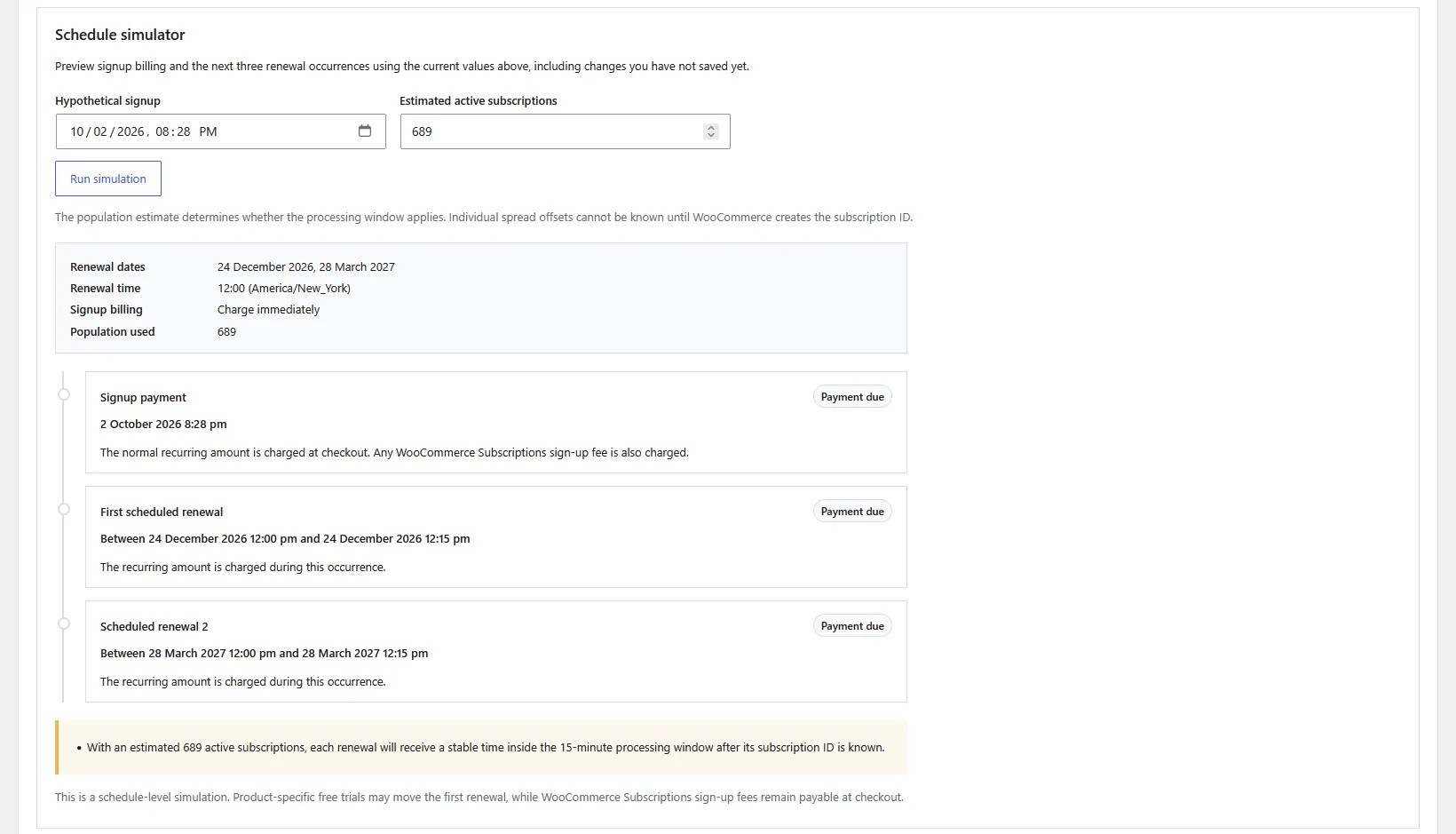
Bring supported schedules, product assignments, and subscription assignments across from Shop Plugins.
The import preserves existing next-payment dates. Review the imported data and plan the handover before letting QuixWP control live renewals.
Follow the migration guide →Using native billing alignment instead? Create a QuixWP calendar and adopt eligible subscriptions after reviewing your existing setup. The current version has no automatic native-alignment converter.

Yes. You need the official WooCommerce Subscriptions extension, purchased separately. Renewal Scheduler adds calendar dates to it; your existing subscription system and payment gateway continue handling payments.
Not necessarily. Native alignment can handle regular weekly, monthly and annual billing dates. Choose Renewal Scheduler when you need a shared list of fixed dates, multiple dates per year, one-off dates, or tools to adopt and realign existing subscriptions.
No automatic proration is added by Renewal Scheduler. Its signup modes charge the recurring amount immediately or defer it to the next calendar date. Immediate billing does not skip a renewal just because signup was recent.
Yes. Use dates that repeat every year, exact dates with a year, or both in the same schedule. You can assign schedules to simple subscription products and individual variations.
You choose the first-payment behaviour. Immediate billing charges at signup and again on the next scheduled date, even if that is tomorrow. Deferred billing waits until the next calendar date for the first recurring amount; separate sign-up fees can still apply.
Only if you choose to realign them. You can preserve each current next-payment date when adopting subscriptions; after a successful renewal, later payments follow the calendar. Rehearse changes on staging first.
The Shop Plugins importer transfers supported schedules and assignments while preserving current next-payment dates. For native Billing Date Alignment, create a calendar and adopt eligible subscriptions manually; this version has no automatic converter. Review the migration guide before changing a live store.
After the final successful renewal in an exact-date-only calendar, the next-payment date is cleared but the subscription stays active. Add future dates and explicitly realign subscriptions to resume renewals. Calendars with annual dates continue on those dates.
The license renews annually. You can manage or cancel future renewals through your Freemius customer account. If Pro access expires, the active plugin continues handling previously assigned subscriptions using their saved calendars. Management tools and new checkout assignments require active Pro access. Deactivating the plugin stops its calendar hooks.
Freemius provides your ZIP download and license details after purchase. Upload the ZIP in WordPress and activate your license. Our documentation covers setup and migration, and you can contact QuixWP support with questions about your store.
Choose a license, or send us your dates and current subscription setup if you need help checking the fit.